
Mobile-first is a design philosophy, not a checkbox.
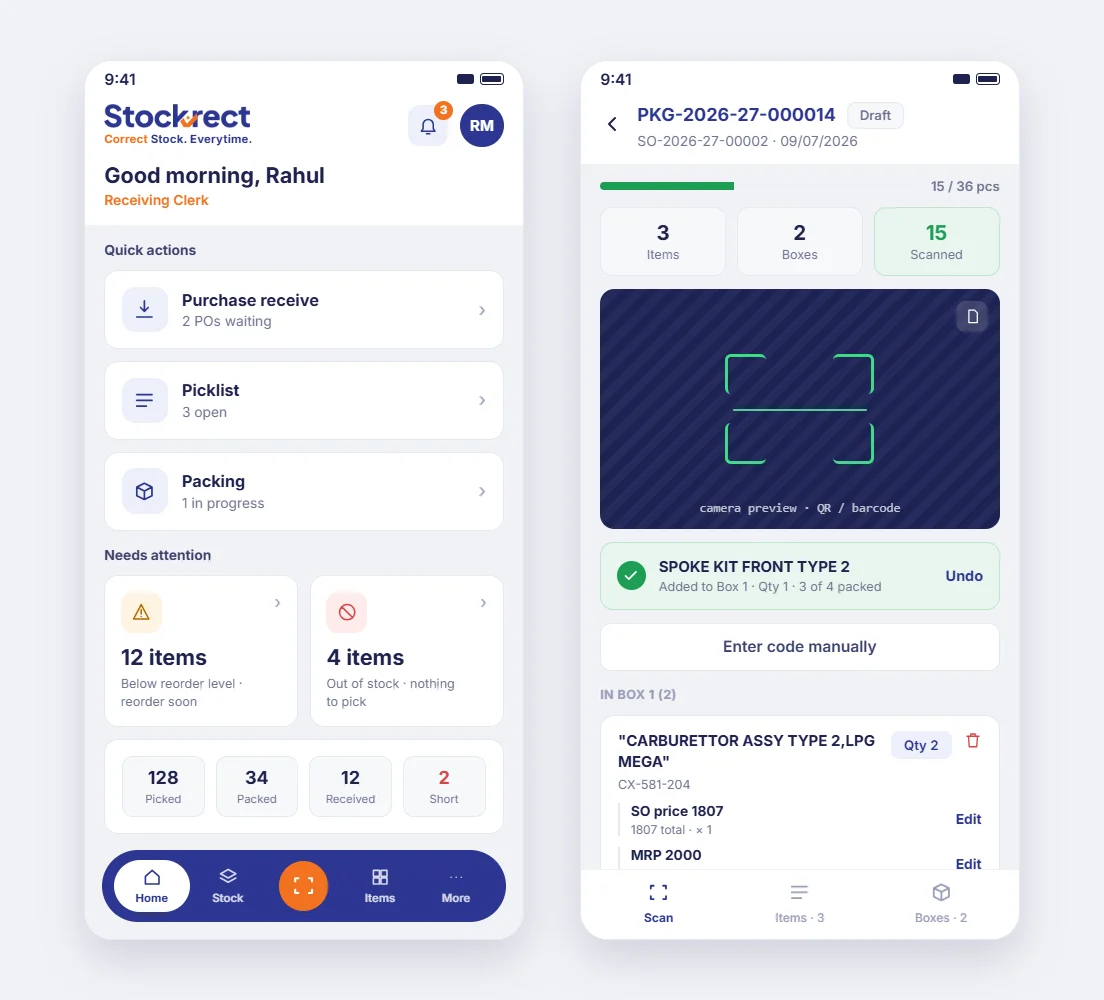
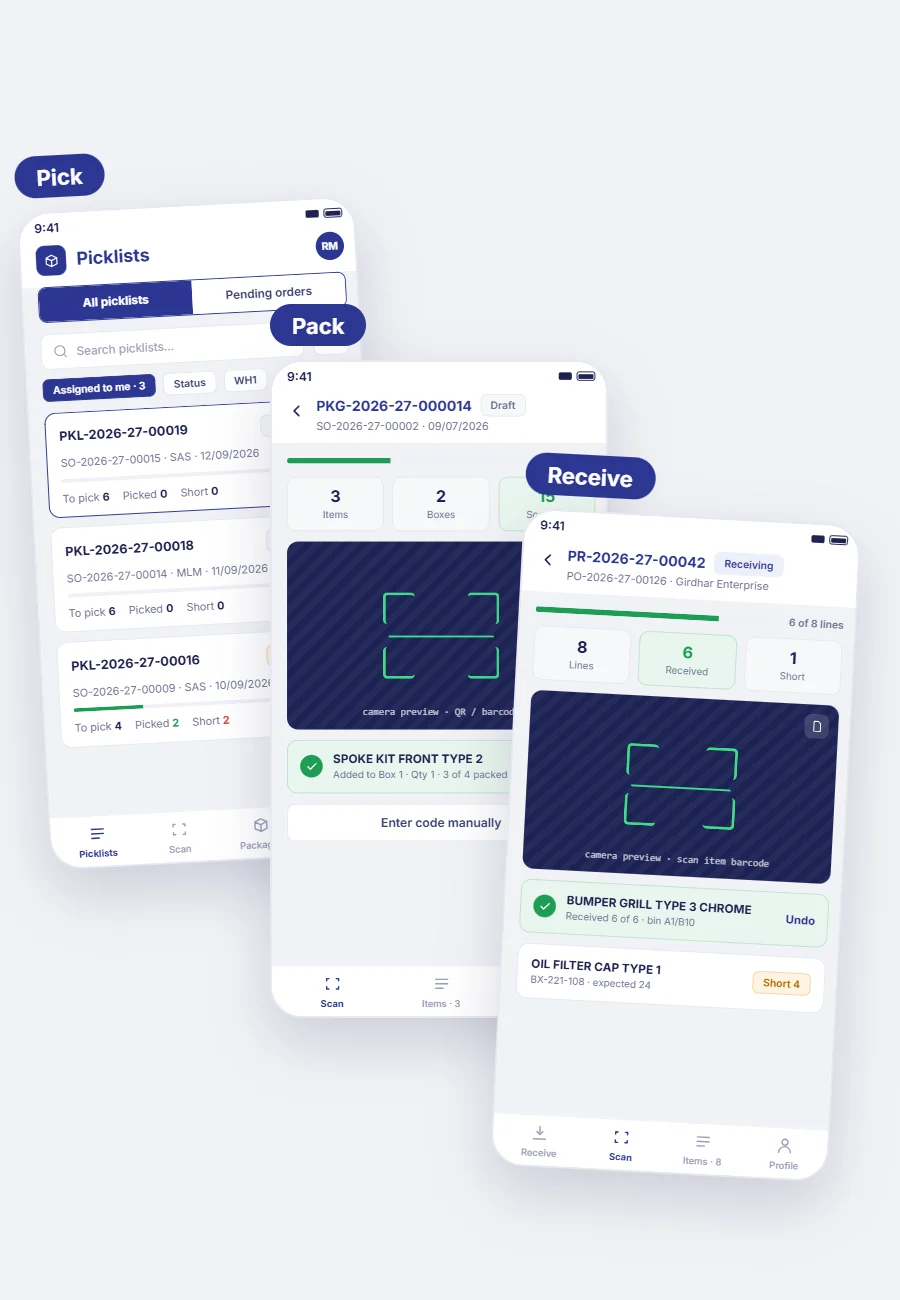
Native Android and iOS apps for pick, pack, receive, and dispatch. Scan-driven workflows with real-time validation. Available now on Google Play and the App Store — same scan-validated rigor as the desktop platform, purpose-built for the warehouse floor.
 ⤢
⤢
What the Mobile App handles.
The mobile app isn't a companion to Stockrect — for warehouse teams, it IS Stockrect. Every warehouse operation runs on mobile. The desktop is where you configure; the mobile is where you operate.
Offline Mode
Under active development. Will allow scans to queue locally and sync automatically when connectivity returns — ideal for warehouse areas with weak Wi-Fi.
How the mobile app runs.
These are the actual operations that happen on mobile — guided picks, dock receipts, field stock checks. Each is scan-driven, exception-aware, and validated in real time.
A Pick Task, Start to Finish
Warehouse team member opens the app. Home screen shows assigned pick tasks sorted by priority. Tap the first task — guided workflow starts. App shows first bin location, team member walks over and scans the bin barcode. App shows expected items, team scans each pick and confirms quantity. Any exception (SKU not found, quantity discrepancy) flags instantly. Task completes with dispatch documentation ready to print.
Goods Receipt on the Dock
Vendor truck arrives with PO delivery. Receiving team opens mobile app, scans the PO barcode on the paperwork. Expected line items load. Team scans each item as it comes off the truck. Discrepancies flag in real-time. GRN posts on completion — with all discrepancies captured, vendor auto-notified where needed.
Field Sales Stock Check
Sales team member visiting a customer needs to confirm stock availability. Opens mobile app, searches SKU, sees real-time stock across every warehouse. Confirms availability to customer instantly. Order placed from mobile if customer is ready.
Who uses the Mobile App.
The mobile app is the primary tool for the warehouse floor team and field sales. Management and delivery roles use it for approvals, alerts, and confirmations.
How the Mobile App connects.
The mobile app is a client of the same Stockrect platform. Every action on mobile is a real-time operation on the platform data — no separate mobile database, no reconciliation between systems.
Common questions about the mobile app.
Standard Android (9+) and iOS (14+) devices. Camera required for scanning. External Bluetooth barcode scanners also supported for standard Android/iOS tablets.
Ruggedized device compatibility is being evaluated with real deployments. If you're planning to deploy on specific ruggedized handhelds (Zebra, Honeywell, or similar), contact us at support@stockrect.com and we'll work through compatibility together.
Not yet — offline mode is under active development on our roadmap. Currently, continuous connectivity is required. When offline mode ships, scans will queue locally and sync automatically when connectivity returns.
Same role-based access as desktop. Users see and do only what they're authorized to on either platform.
No. Stockrect user licenses include both desktop and mobile access. One license, both platforms.
Get the app on Google Play or the App Store.
Purpose-built for the warehouse floor.
A 30-minute discovery call to see the mobile app running live. If it's a fit, we'll follow up with a tailored proposal.
Have questions first? Email hello@stockrect.com