
The Stockrect mobile apps are in final testing. The Google Play and App Store links will go live on this page as soon as the apps are published. Everything below shows what to expect.
Stockrect. On the warehouse floor.
Native Android and iOS apps for pick, pack, receive, and dispatch. Scan-driven workflows. Offline mode. Coming soon to Google Play and the App Store.
Store links will be added when the apps are published.
Everything the warehouse floor needs.
The mobile app powers every warehouse operation — from picking and packing to receiving and dispatch. Designed for the floor, not adapted from a desktop.
Guided Workflows
Pick, pack, receive, put-away — every workflow is guided step-by-step. New team members become productive in days, not months.
Scan Everything
QR codes, barcodes, custom code formats — the app handles all three. Scan-validated actions at every step catch errors before they leave the floor.
Offline Mode
Weak Wi-Fi in the warehouse? Scans queue locally and sync automatically when connectivity returns. Warehouse work never stops.
Multiple Languages
Team members work in their preferred language. Configurable per user — no compromise on comprehension or productivity.
Real-Time Alerts
Push notifications for task assignments, exceptions, and urgent orders. Team members get what they need to act — right on their device.
Same Permissions
Role-based access from the desktop applies on mobile too. Users see and do only what they're authorized to — no exceptions.
Want the full detail — workflows, roles, integrations, FAQ?
See the Mobile App capability pageSee the app in action.
Four screens that show what daily warehouse work looks like on the Stockrect mobile app.
Home dashboard
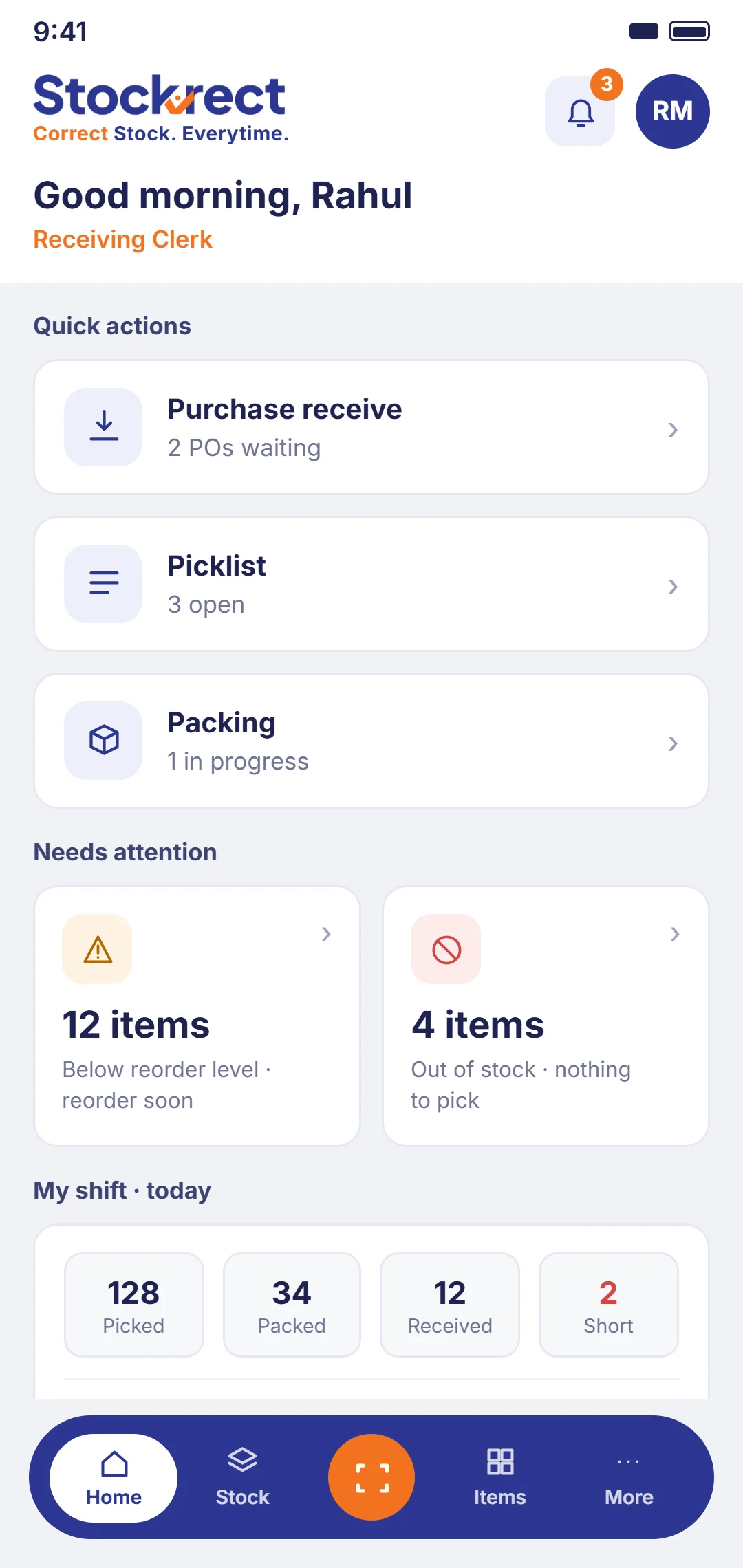
Overview of assigned tasks for the day. Task counts by category, priority indicators, quick access to active workflows.
Pick task list
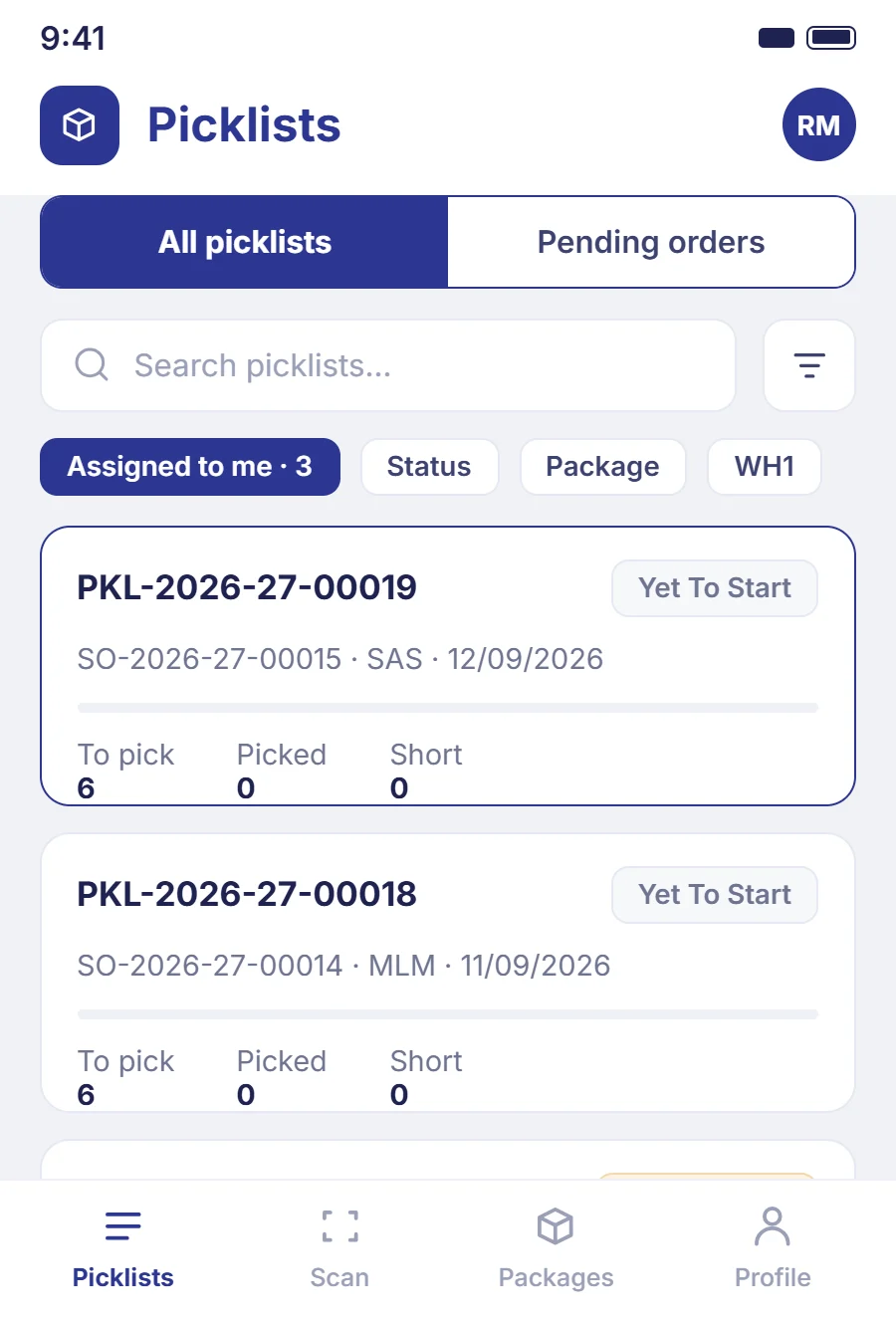
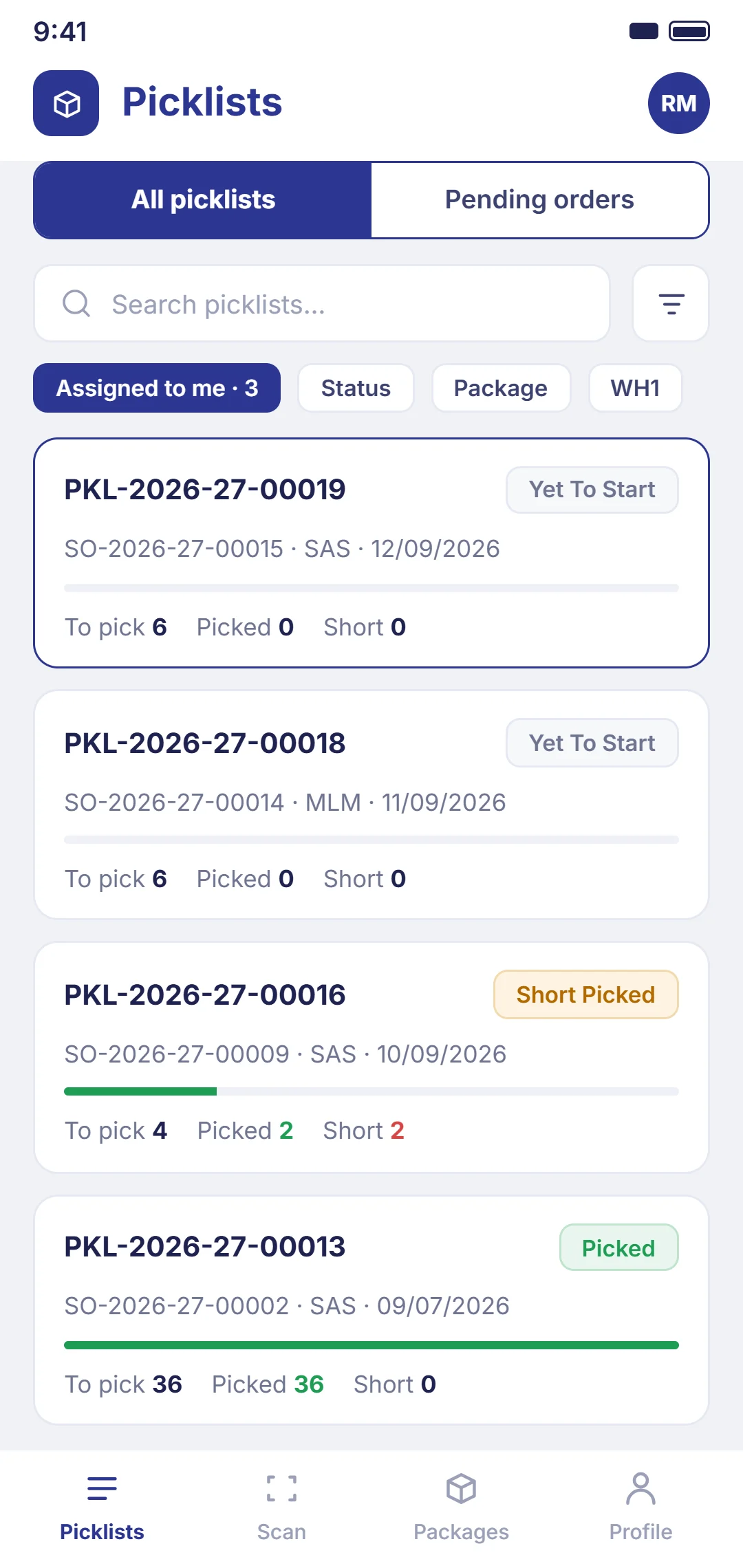
Assigned pick tasks sorted by priority. Each task shows customer, item count, target time. Tap to enter the guided pick workflow.
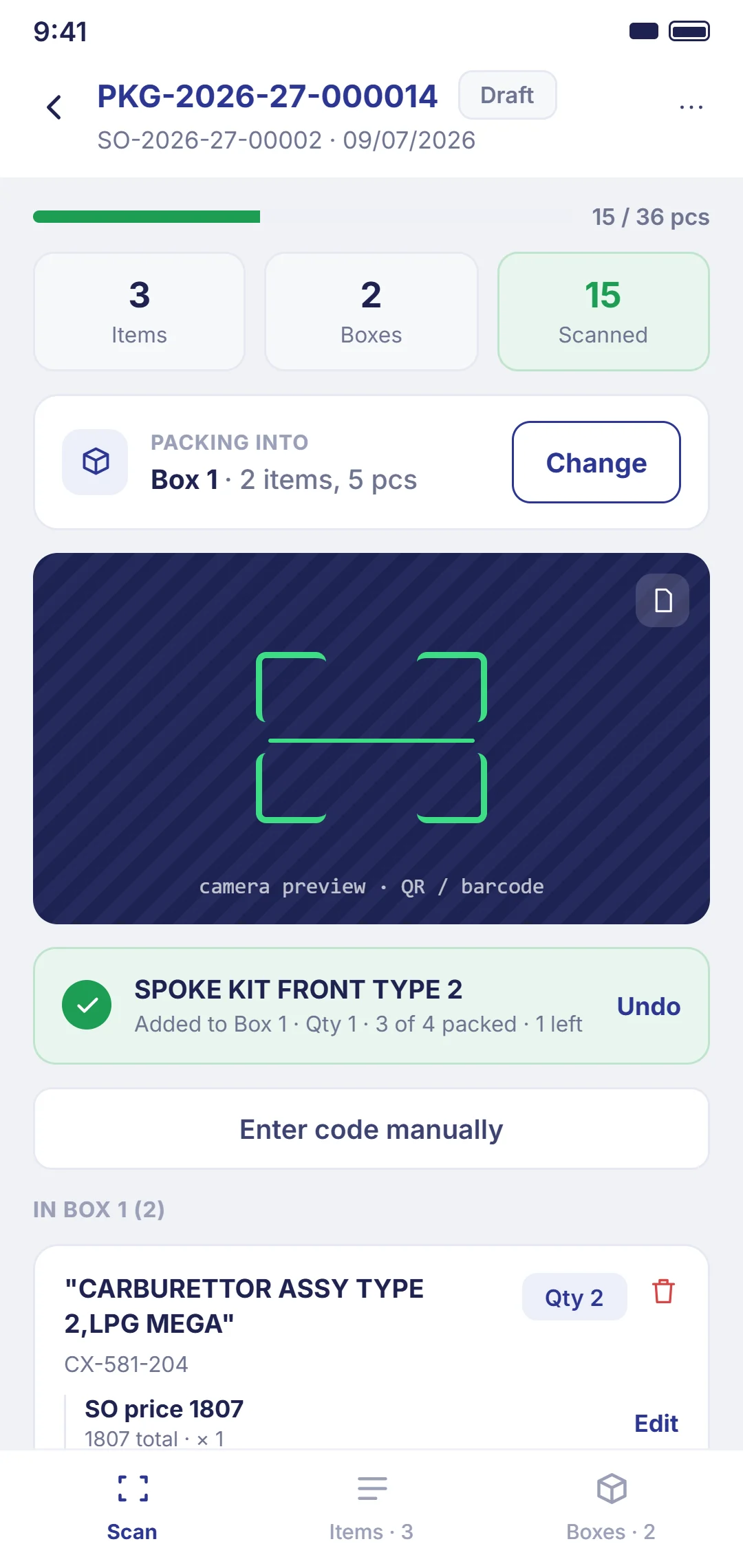
Scan mode
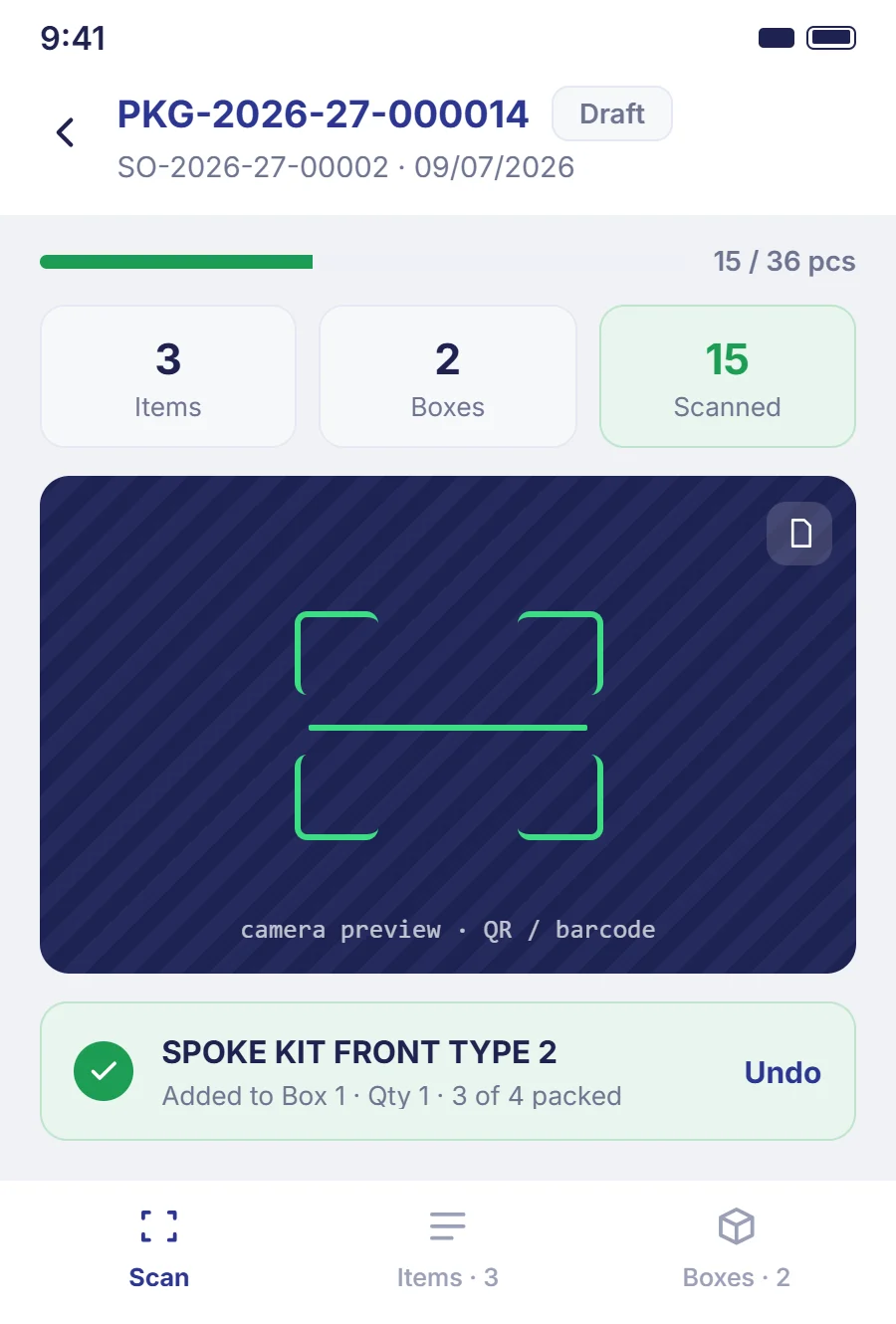
Active scan interface with clean UI, prominent scan target, real-time validation. Shows expected item vs. scanned item with clear confirmation.
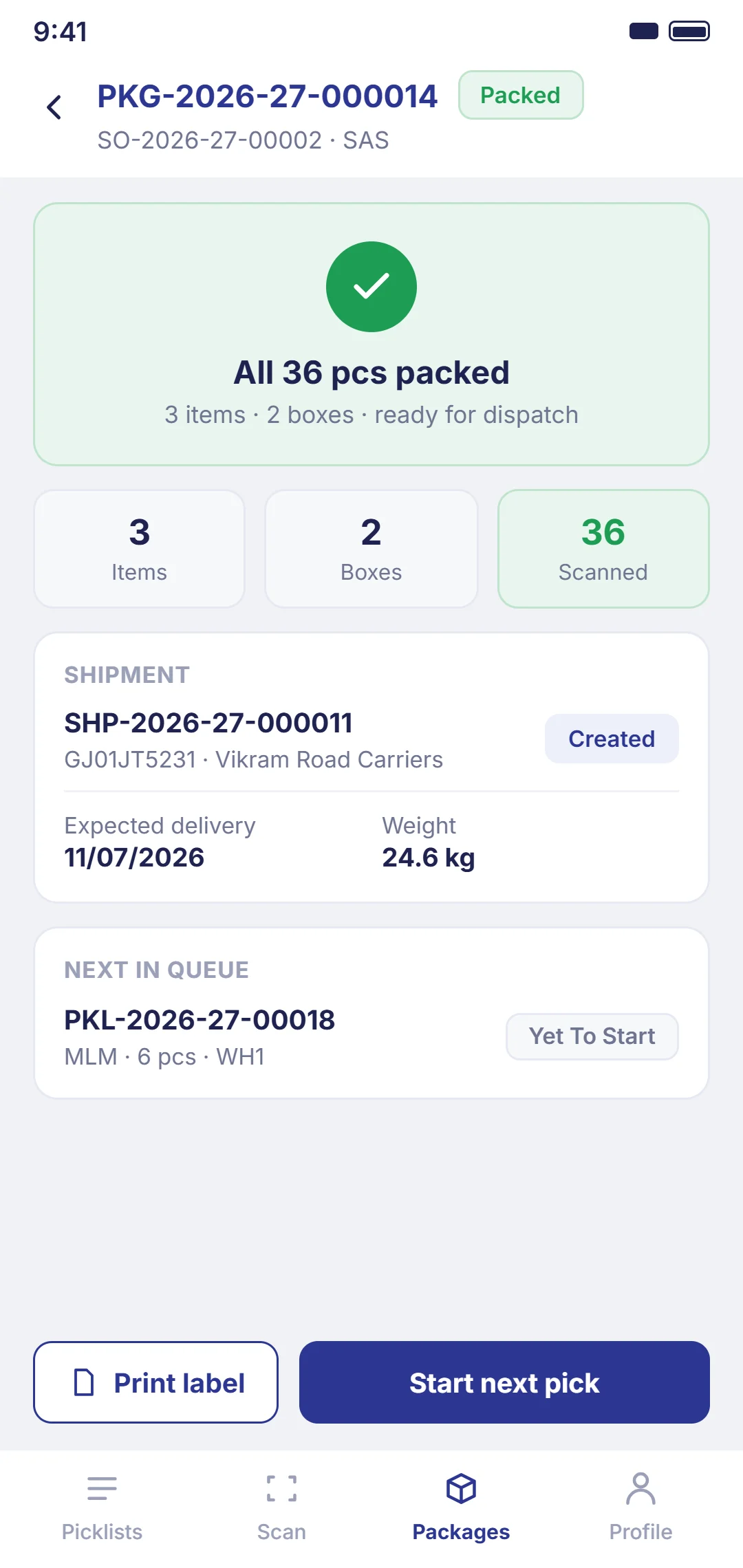
Order confirmation
Completed order summary with dispatch details, customer confirmation, and next task in queue.
System requirements and compatibility.
Stockrect works on standard consumer devices and popular ruggedized hardware. Here's what you need to know for deployment planning.
Ruggedized device compatibility
Stockrect works seamlessly with popular ruggedized devices used in warehouse environments:
External Bluetooth barcode scanners are also supported for use with standard Android/iOS tablets and phones.
Battery considerations
The app is optimized for extended battery life:
Three steps to start using Stockrect on mobile.
You need a Stockrect account to use the mobile app. If you're already a customer, you're ready. If you're evaluating, book a discovery call to get set up.
Download the app
Tap the app store badge for your device (Android or iOS) or scan the QR code above to download directly.
Sign in with your account
Use the Stockrect account credentials from your organization. Your admin can create user accounts from the desktop platform.
Start scanning
Your assigned tasks appear on the home screen. Tap any task to begin the guided workflow — pick, pack, receive, or dispatch.
Need help setting up?
Evaluate the mobile experience.
Book a discovery call — we'll show you how the mobile app runs live.
Roll out to your team.
Contact support for deployment help across your warehouse.